Frequently Asked Questions

In Hospital ERP Software avoid to enter or using special character (special character is non-alphabetic and non-numeric like @, #, $, <, %, ^, &, *, !) for any field like Patient, Staff, Income, Expense, Transport, Custom Field etc, otherwise it may fail PHP or JavaScript processing.
No, Hospital ERP Software built to manage single hospital or single branch and does not support multi hospital or multi branch feature. Even you can not customize Hospital ERP Software to transform it in multi hospital or multi branch management system because its licensing terms does not permit for this.
Yes, you can use Hospital ERP Software without internet on localhost installation (using XAMPP or WAMP) but you will lose the benefits of some features like -

  • Email, SMS and Push notification and messaging
  • Online Payment
  • YouTube videos

If you are using Hospital ERP Software with internet on localhost installation then above mentioned features will work.
Yes, you can use Hospital ERP Software on localhost installation (using XAMPP or WAMP) and access it in your local LAN (Local Area Network) from other pc in network. How to configure Hospital ERP Software local LAN network please check this article.
By default display error messages are disabled in Hospital ERP Software that is the reason every time if there is any error occurred system is showing 500 error message. This is due to Hospital ERP Software environment is set for production . To enable display error message you should change Hospital ERP Software environment from production to development.

Please do the following changes in code files to change environment -

Open file \index.php in any editor carefully from your installation folder and find

define('ENVIRONMENT', 'production');

and change it to

define('ENVIRONMENT', 'development');


Be aware that in development mode you may see some errors and deprecation warnings, for this reason, it’s always recommended to set the environment to “production” .

Do not forget to turn it back to production when you have finished the error checking or debugging
If you have any general questions don't hesitate to contact us on support@qdocs.in and for support questions you can open support ticket at http://support.qdocs.in
Hospital ERP Software does not support 3 decimals places for a number or currency amount.
To check Hospital ERP Software Version, login from superadmin panel and then go to Setup > Settings > System Update link. Here you can see your current Hospital ERP Software Version.
Yes, Hospital ERP Software support RTL direction for languages.
Unfortunately not, the PDF or exported documents are only generated in LTR direction.
No, currently Unicode characters for non English languages does not supported in data export from table or datatable.
Unfortunately you can’t use Hospital ERP Software as SaaS or multi hospital application. Even you can not edit or customize Hospital ERP Software to make it SaaS or multi hospital application due to its licensing terms. Hospital ERP Software licenses are single end products, additional information for licenses can be found here.
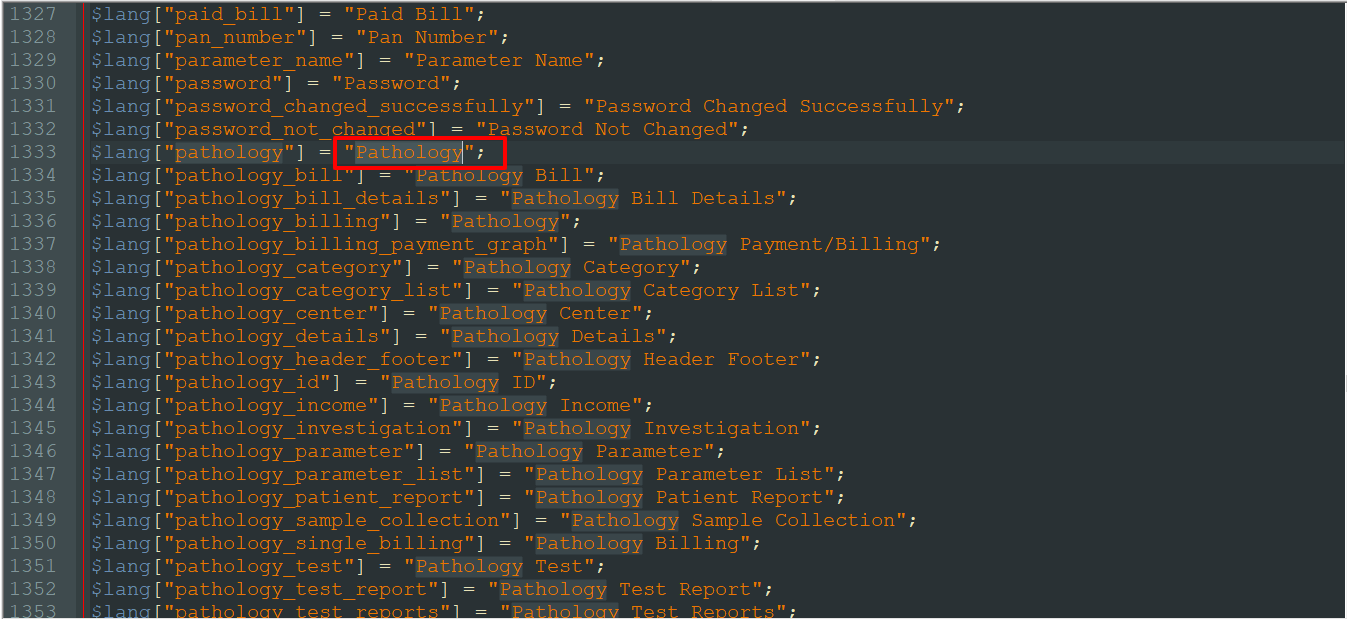
In Hospital ERP Software, if you want to change text labels like if you want to change text lebel of "Pathology" to "Pathology Lab" then for this you should go to the Language file location, here first you should select the Language file according to your country language and do changes in that language file.

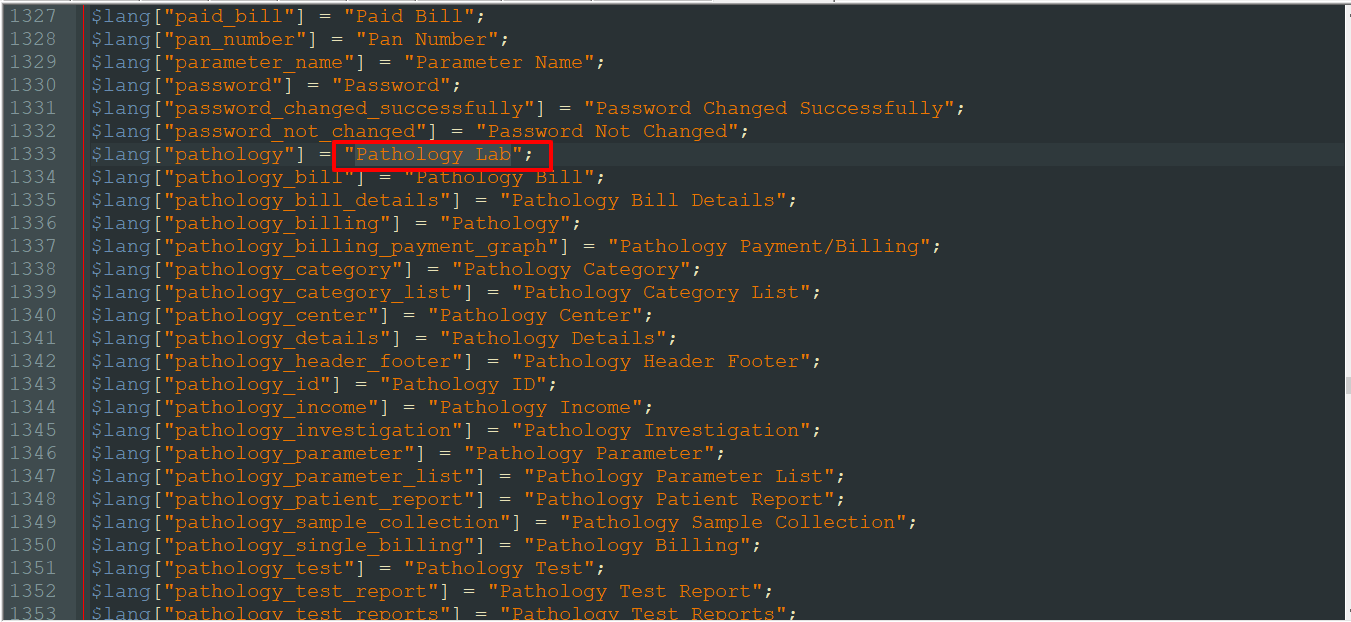
For e.g. if you want to change text lebel of "Pathology" to "Pathology Lab" in English language then go to the file path location \application\language\English\app_files and open system_lang.php file then serach for the keyword "Pathology"


Now replace it with "Pathology Lab" then save it.


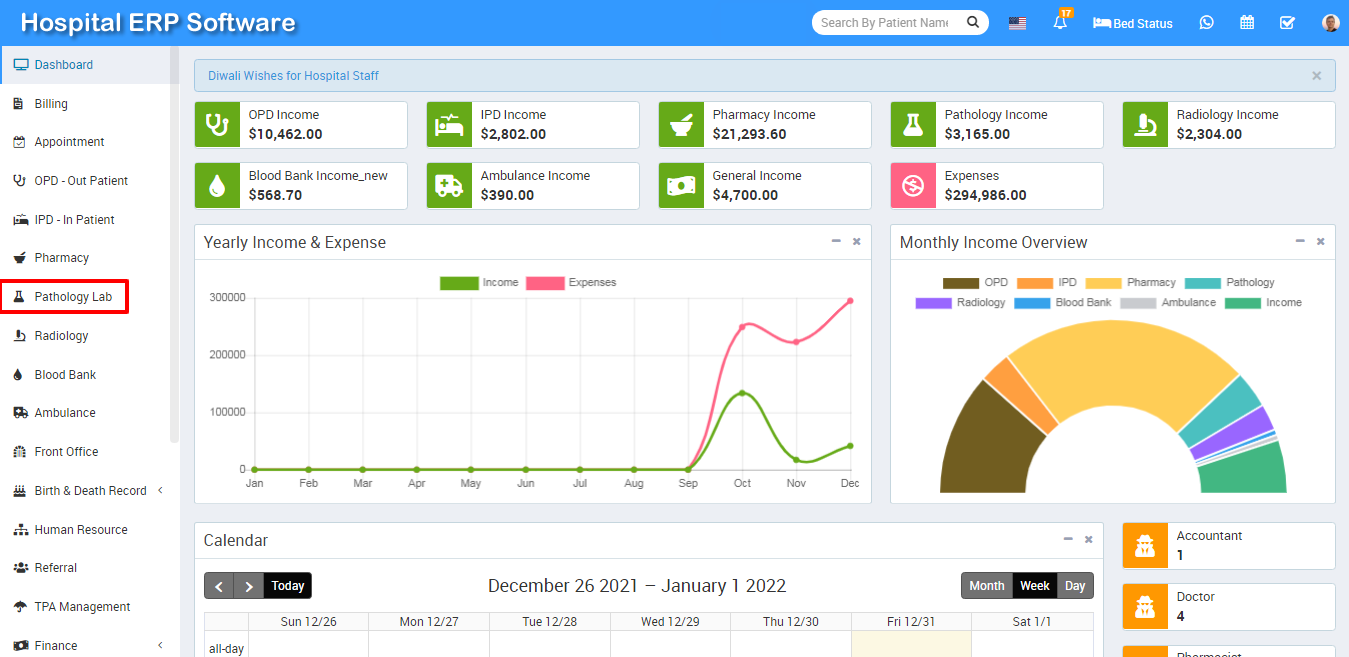
After save changes it will look like below image at Hospital ERP Software site.


Note- Please make sure you have done changes in proper format (like Pathology Lab must be under single inverted commas) otherwise code will cause an error.

Smart School © 2024 All Rights Reserved